Systems
I needed several different items in order to tech up the tank. I needed a microcomputer that can sit in the garage and send data to another place. After researching for a little bit, I chose a Raspberry Pi 3 Model B+ (or a Pi). This raspberry pi is a little like a small computer and can do almost the same thing as any regular computer, though its memory is a little lacking compared to a normal computer. Microcomputers are very handy when you want to have a small project where you need to program something to get it to work. All of my programs are built in Python, which is a computing language that is a lot like normal English. I feel it is the easiest to read and write without knowing a lot of programming beforehand.
Lights
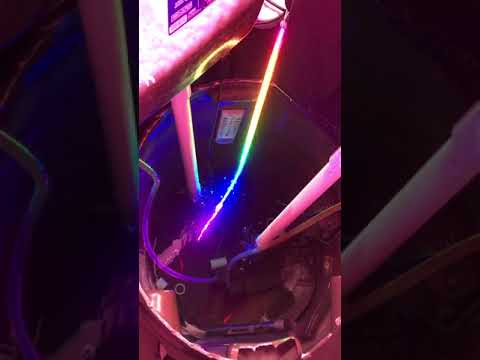
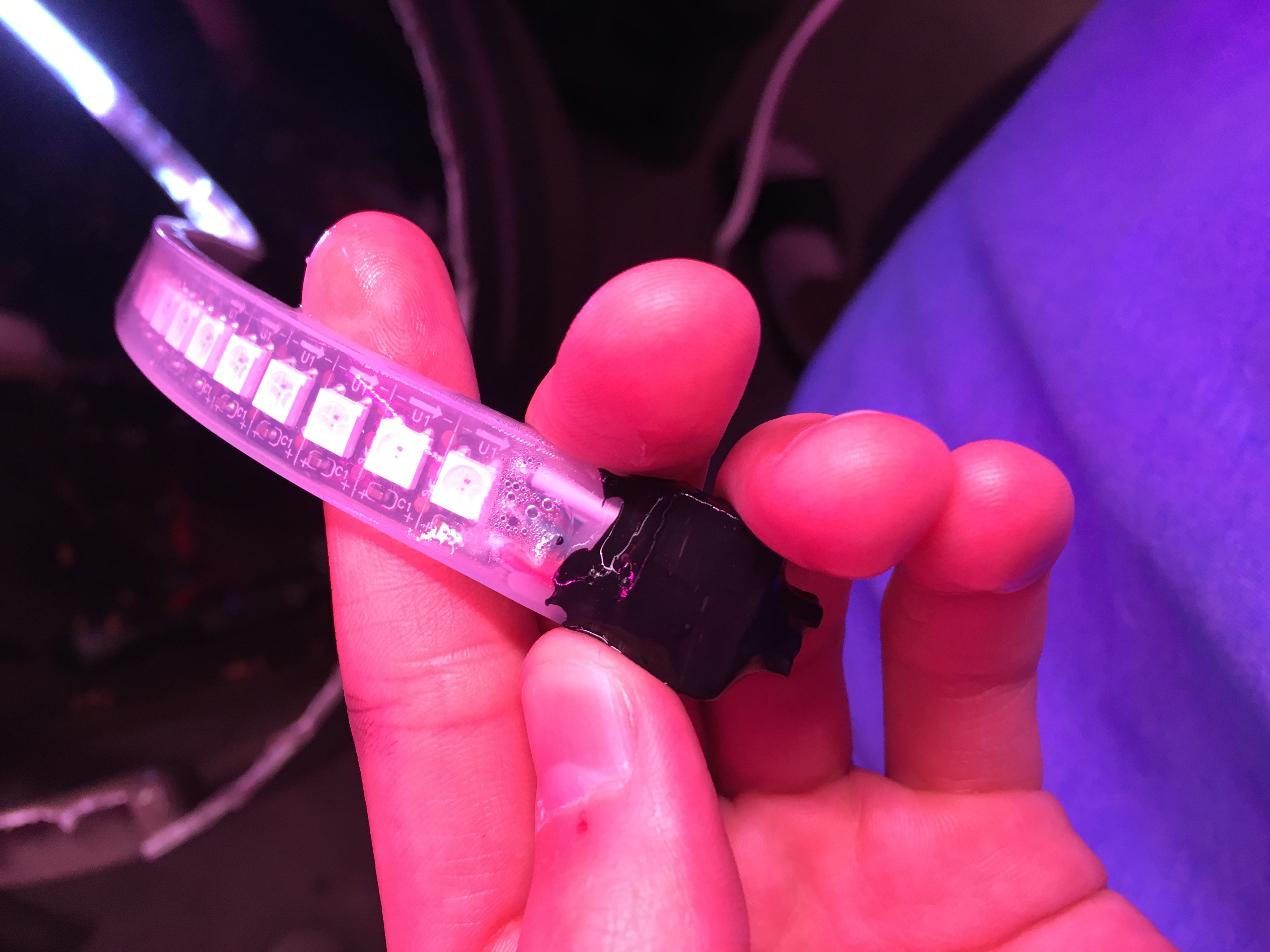
The lights are a waterproof LED strip with 144 pixels to light up the inside of the fish rain barrel. The pixels are the number of individual LEDs that are on the strip. The strip I got is 1 meter long, although there are some longer options. The leds can be found here.
Wiring
The wiring for this is pretty simple. You take the VCC which is basically the positive end and add power to it (usually an external source) and take the GND which is the ground and attach that to the negative end of the external source. There are still three wires left that are from the lights. One is another VCC, another is another GND, and the last one is a DATA line. You have to take the second GND and connect it to the ground pin on the Pi. The DATA line you have to connect to a GPIO pin or a General Purpose In/Out Pin. I connected it to the GPIO 18 pin. In the picture below, the Red Wires from the light strip are the VCC or positive wires, the White Wires are GND or negative wires, and the Green Wire is the DATA wire. As you can see in the pic, the red vcc wire coming from the group of three isn’t connected to anything. That wire would usually be connected to the Pi, but I didn’t want the lights to draw power from the Pi because if too much power is drawn from the Pi, the Pi can get damaged and stop working.

Code
The code is not that pretty, but it works just fine. I made this code in Python:
import time
import board
import neopixel
import argparse
from neopixel import *
This is telling the system which modules to include and where to get some of the function items.
pixel_pin = board.D18

num_pixels = 144

ORDER = neopixel.RGB

pixels = neopixel.NeoPixel(
    pixel_pin, num_pixels, brightness=0.2, auto_write=False, pixel_order=ORDER
)
This section is telling where the LEDs are connected to (board.D18), how many pixels(LEDs) there are, the color sequence (Red, Green, Blue), and how to configure the library.
def wheel(pos):
    if pos < 0 or pos > 255:
        r = g = b = 0
    elif pos < 85:
        r = int(pos * 3)
        g = int(255 - pos * 3)
        b = 0
    elif pos < 170:
        pos -= 85
        r = int(255 - pos * 3)
        g = 0
        b = int(pos * 3)
    else:
        pos -= 170
        r = 0
        g = int(pos * 3)
        b = int(255 - pos * 3)
    return (r, g, b) if ORDER in (neopixel.RGB, neopixel.GRB) else (r, g, b, 0)


def rainbow_cycle(wait):
    for j in range(255):
        for i in range(num_pixels):
            pixel_index = (i * 256 // num_pixels) + j
            pixels[i] = wheel(pixel_index & 255)
        pixels.show()
        time.sleep(wait)
These are the specific functions that I will be using and it is defining (def) what each of them mean. As you can see in the rainbow_cycle, I use the “wheel” function in it, which means that in python you can use a function within a function.
if __name__ == '__main__':

    parser = argparse.ArgumentParser()
    parser.add_argument('-c', '--clear', action='store_true', help='clear the display on exit')
    args = parser.parse_args()

    try:

        while True:

            a = 1
            while a < 3:

                for i in range(0, 10):
                    pixels[0+i+10] = (0, 255, 0)
                    pixels.show()
                    pixels[0+i] = (0, 0, 0)
                    pixels.show()
                for i in range(10, 20):
                    pixels[0+i+10] = (0, 255, 0)
                    pixels.show()
                    pixels[0+i] = (0, 0, 0)
                    pixels.show()
                for i in range(20, 30):
                    pixels[0+i+10] = (0, 255, 0)
                    pixels.show()
                    pixels[0+i] = (0, 0, 0)
                    pixels.show()
                for i in range(30, 40):
                    pixels[0+i+10] = (0, 255, 0)
                    pixels.show()
                    pixels[0+i] = (0, 0, 0)
                    pixels.show()
                for i in range(40, 50):
                    pixels[0+i+10] = (0, 255, 0)
                    pixels.show()
                    pixels[0+i] = (0, 0, 0)
                    pixels.show()
                for i in range(50, 60):
                    pixels[0+i+10] = (0, 255, 0)
                    pixels.show()
                    pixels[0+i] = (0, 0, 0)
                    pixels.show()
                for i in range(60, 70):
                    pixels[0+i+10] = (0, 255, 0)
                    pixels.show()
                    pixels[0+i] = (0, 0, 0)
                    pixels.show()
                for i in range(70, 80):
                    pixels[0+i+10] = (0, 255, 0)
                    pixels.show()
                    pixels[0+i] = (0, 0, 0)
                    pixels.show()
                for i in range(80, 90):
                    pixels[0+i+10] = (0, 255, 0)
                    pixels.show()
                    pixels[0+i] = (0, 0, 0)
                    pixels.show()
                for i in range(90, 100):
                    pixels[0+i+10] = (0, 255, 0)
                    pixels.show()
                    pixels[0+i] = (0, 0, 0)
                    pixels.show()
                for i in range(100, 110):
                    pixels[0+i+10] = (0, 255, 0)
                    pixels.show()
                    pixels[0+i] = (0, 0, 0)
                    pixels.show()
                for i in range(110, 120):
                    pixels[0+i+10] = (0, 255, 0)
                    pixels.show()
                    pixels[0+i] = (0, 0, 0)
                    pixels.show()
                for i in range(120, 130):
                    pixels[0+i+10] = (0, 255, 0)
                    pixels.show()
                    pixels[0+i] = (0, 0, 0)
                    pixels.show()
                for i in range(130, 140):
                    pixels[0+i] = (0, 255, 0)
                    pixels.show()
                    pixels[0+i] = (0, 0, 0)
                    pixels.show()
                for i in range(140, 143):
                    pixels[0+i] = (0, 255, 0)
                    pixels.show()
                    pixels[0+i] = (0, 0, 0)
                    pixels.show()
                for i in range(0, 10):
                    pixels[143-i-10] = (0, 255, 0)
                    pixels.show()
                    pixels[143-i] = (0, 0, 0)
                    pixels.show()
                for i in range(10, 20):
                    pixels[143-i-10] = (0, 255, 0)
                    pixels.show()
                    pixels[143-i] = (0, 0, 0)
                    pixels.show()
                for i in range(20, 30):
                    pixels[143-i-10] = (0, 255, 0)
                    pixels.show()
                    pixels[143-i] = (0, 0, 0)
                    pixels.show()
                for i in range(30, 40):
                    pixels[143-i-10] = (0, 255, 0)
                    pixels.show()
                    pixels[143-i] = (0, 0, 0)
                    pixels.show()
                for i in range(40, 50):
                    pixels[143-i-10] = (0, 255, 0)
                    pixels.show()
                    pixels[143-i] = (0, 0, 0)
                    pixels.show()
                for i in range(50, 60):
                    pixels[143-i-10] = (0, 255, 0)
                    pixels.show()
                    pixels[143-i] = (0, 0, 0)
                    pixels.show()
                for i in range(60, 70):
                    pixels[143-i-10] = (0, 255, 0)
                    pixels.show()
                    pixels[143-i] = (0, 0, 0)
                    pixels.show()
                for i in range(70, 80):
                    pixels[143-i-10] = (0, 255, 0)
                    pixels.show()
                    pixels[143-i] = (0, 0, 0)
                    pixels.show()
                for i in range(80, 90):
                    pixels[143-i-10] = (0, 255, 0)
                    pixels.show()
                    pixels[143-i] = (0, 0, 0)
                    pixels.show()
                for i in range(90, 100):
                    pixels[143-i-10] = (0, 255, 0)
                    pixels.show()
                    pixels[143-i] = (0, 0, 0)
                    pixels.show()
                for i in range(100, 110):
                    pixels[143-i-10] = (0, 255, 0)
                    pixels.show()
                    pixels[143-i] = (0, 0, 0)
                    pixels.show()
                for i in range(110, 120):
                    pixels[143-i-10] = (0, 255, 0)
                    pixels.show()
                    pixels[143-i] = (0, 0, 0)
                    pixels.show()
                for i in range(120, 130):
                    pixels[143-i-10] = (0, 255, 0)
                    pixels.show()
                    pixels[143-i] = (0, 0, 0)
                    pixels.show()
                for i in range(130, 140):
                    pixels[143-i] = (0, 255, 0)
                    pixels.show()
                    pixels[143-i] = (0, 0, 0)
                    pixels.show()
                for i in range(140, 143):
                    pixels[143-i] = (0, 255, 0)
                    pixels.show()
                    pixels[143-i] = (0, 0, 0)
                pixels.show()
                a += 1

            a = 1
            while a < 11:
                for i in range(0, 143):
                    pixels[0+i] = (255, 255, 255)
                    pixels.show()
                a += 1

            a = 1
            while a < 2:
                for i in range(0, 143):
                    pixels[143-i] = (0, 0, 0)
                    pixels.show()
                a += 1

            a = 1
            while a < 6:
                rainbow_cycle(0.001)
                a += 1

            a = 1
            while a < 2:
                for i in range(0, 143):
                    pixels[143-i] = (0, 0, 0)
                    pixels.show()
                    a += 1
This whole section is telling the LEDs what to do, the big repeating section that looks almost the exact same is telling approx. 10 LEDs to be red at a time going forward, then there is another section that tells 10 LEDs to be red at a time going backwards. The forward one is the [0+i] and the backward one is the [143-i] where the i is which pixels I want to be lit up at a time. The i is defined in the for loop which says “When i is between n and n” (like 0,10 is 0 to 10). The pixels.show() is a function telling the pixels to light up and “show” what has happened.
    except KeyboardInterrupt:
        if args.clear:
            for i in range(0, 144):
                pixels[0+i] = (0, 0, 0)
                pixels.show()
This section is saying that if I interupt the program, it will clear the LED strip and turn off the lights. This is just a handy-dandy thing so I don’t have to run another program to clear the strip.
Click or Tap First Pic to Watch Video
Just Keep Swimming
I have had one goldfish die, it was one of the newer ones. Tank is still swimming around and today he ate a large grasshopper. The suckerfish died because of some fungus that seemed to be cotton fin fungus. I don’t know what caused the fungus to be on the suckerfish but none of the other goldfish seem to have it at the moment.
Up Next
The next post will be about the thermometer probe that I installed into my aquaponics system.